Viewing long output and scrolling up/down in tty terminals

To view long output from utilities like ls, 
you need to pipe the output into a pager, such as  
more or less : `ls | less`

The `|` (pipe) sends(, or pipes), the output from the command on the left (ls) into the input of the command on the right (less) as arguments. 

  • Press the spacebar or `f`  to scroll down the output by a page. Or `d` for half-a-page.
  • Press `b` or `ESC-v` to scroll up the output by a page. Or `u` for half-a-page
  • Press the `q` key to quit the pager. 
  • To search for some text type `/something`
  • Try `man less` for more information.

 To scroll up/down in a terminal without support for mouse, just press `SHIFT + pgUP/pgDOWN`. Although the amount you can scroll depends on terminal's scrollback buffer.

Now, to increase scrollback buffer size-
  • Press Ctrl-a then : and then type scrollback 10000
  • to get a 10000 line buffer, for example.
  • You can also set the default number of scrollback lines by adding defscrollback 10000
  • to your ~/.screenrc file.
  • Another tip: Ctrl-a i shows your current buffer setting.

Relative line numbers in Vim for calculation free fast movement

I've seen on someone's Vim having dynamic line numbers. You can just switch to another line by looking at its line number and using that with either j or k.

So, after googling a bit, I came upon these settings-

" To show normal line numbers
set number

" To show relative line numbers
set relativenumber

Just add one of the above snippet to your .vimrc and you're good to go.

But,  if you want to toggle between them, 

Relative line numbers in Vim for super-fast movement
Jeff Kreeftmeijer - Relative line numbers in Vim for super-fast movement

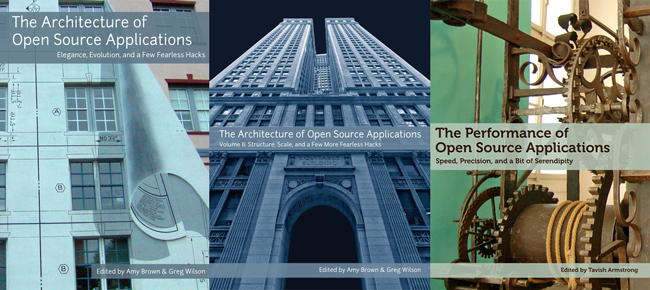
The Architecture of Open Source Applications


3 Books on The Architecture of Open Source Applications
http://aosabook.org/en/index.html

Architects look at thousands of buildings during their training, and study critiques of those buildings written by masters. In contrast, most software developers only ever get to know a handful of large programs well—usually programs they wrote themselves—and never study the great programs of history. As a result, they repeat one another's mistakes rather than building on one another's successes.
The above quote from their website depicts what the three books on their website are all about. Here you can read about some of the greatest open source projects, about how their software is structured and why. 
You'll learn about the building blocks of their project and how they interact with one another. Getting unique insights directly from the contributors will be the key here, missing from most of the online lectures or tutorials.
Whether you're just starting in this field or are already an expert, these books will help you understand the underlying 'how' in problem solving and the way they reached the answer to their design problems.

Here are some of the open source projects talked about in these books-

Follow them on their blog at http://aosabook.org/blog/, 
or on Twitter at @aosabook and using the #aosa hashtag.